![[Owner] Spacebug](https://minotar.net/avatar/SpaceBug/50)
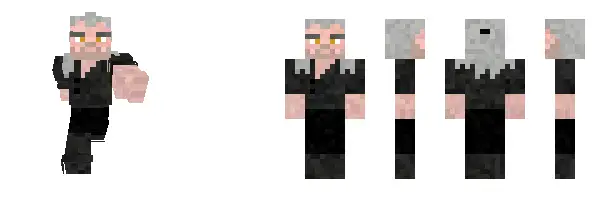
Minecraft is a sandbox video game that allows players to explore and create in a virtual world made entirely of blocks. One of the most exciting aspects of the game is the ability to customize your character’s appearance by changing their skin. In this article, we will cover everything you need to know about Minecraft skins, including what they are, how to apply them, where to find them, and how to make your own.
What Are Minecraft Skins?
In Minecraft, a skin refers to the texture that is applied to a player’s in-game avatar. By default, players are given a default skin that looks like Steve or Alex, the game’s original characters. However, players can change this skin to create a unique appearance for their character. Skins can be as simple or complex as you like, from a small change to a character’s hair color to a full-fledged costume or outfit.
How to Apply a Skin to Your Character
Applying a new skin to your Minecraft character is a relatively simple process. Follow these steps to change your skin:
Step 1: Download a skin from a trusted website
The first step is to find a skin you like and download it from a reliable source. There are many websites that offer free skins, but it is essential to be cautious as some may contain viruses or other harmful software. Some popular skin websites include Skindex, NameMC, and Planet Minecraft.
Step 2: Open Minecraft
Once you have downloaded your chosen skin, open Minecraft on your computer or device.
Step 3: Open the Skin menu
In Minecraft, click on the “Skins” tab located in the main menu. This will open the skin customization menu.
Step 4: Upload the new skin
In the skin customization menu, click on the “Browse” button and find the downloaded skin file on your computer. Once you have selected the file, click “Upload” to apply the new skin to your character.
Step 5: Enjoy your new skin
Your new skin will now be applied to your Minecraft character. You can now start playing the game with your new look.
Where to Find Minecraft Skins
There are numerous websites and resources where you can find Minecraft skins. Here are some popular options:
Skindex is one of the most popular websites for Minecraft skins. It has a massive library of skins for you to choose from, and you can search for skins by keyword, popularity, and more.
NameMC is another popular website for Minecraft skins. It allows you to browse and download skins, as well as customize your own skin.
Planet Minecraft is a community-driven website that offers a wide range of Minecraft content, including skins. You can browse the site’s extensive collection of skins or upload your own.
Minecraft Skins at Minecraft Statistic allows you to browse, download, and apply skins directly from the browser.
How to Make Your Own Minecraft Skin
If you can’t find a skin that suits your tastes, you can always make your own. Here’s how to create a Minecraft skin:
Step 1: Choose a Skin Editor
There are several skin editors available online that you can use to create your Minecraft skin. Some of the most popular skin editors include NovaSkin, Skincraft, and Minecraft Skin Editor.
Step 2: Start Customizing
Once you have selected a skin editor, it’s time to start customizing your skin. You can either create a new skin from scratch or edit an existing skin to make it your own. Some skin editors offer pre-made templates to make the process easier.
Step 3: Save Your Skin
When you’re happy with your new skin, save it to your computer as a .png file. Be sure to name it something memorable so that you can find it easily later.
Step 4: Upload Your Skin to Minecraft
To upload your new skin to Minecraft, follow the same steps as you would when applying a skin downloaded from the internet. Open Minecraft, go to the “Skins” tab in the main menu, and click on “Browse” to find the file on your computer. Once you have selected it, click “Upload” to apply the new skin to your character.
Tips for Making Your Own Minecraft Skin
If you’re new to creating Minecraft skins, here are a few tips to help you get started:
- Keep it Simple
Minecraft skins are made up of tiny pixels, so it’s essential to keep your design simple. Avoid intricate details and stick to bold, recognizable shapes and colors.
- Use References
If you’re creating a skin based on a character from a movie, TV show, or game, use reference images to ensure that your skin looks accurate.
- Preview Your Skin
Most skin editors allow you to preview your skin in 3D, which can help you see how your design will look in the game. Use this feature to make any final adjustments before uploading your skin.
- Experiment with Different Styles
Don’t be afraid to experiment with different styles and colors when creating your skin. Minecraft is all about creativity, so let your imagination run wild!
Final words
In Minecraft, skins offer players the chance to customize their characters and make them unique. Whether you choose to download a skin from the internet or create your own, changing your skin is a fun way to make your Minecraft experience your own. Remember to always download skins from trusted websites and follow the proper steps when uploading your skin to Minecraft. Happy crafting!