
Oakheart SMP is a community survival server built around a medieval and cottagecore village theme. Its documented features include land claims, an emerald economy, optional PvP, and shared play between Java and supported Bedrock clients.
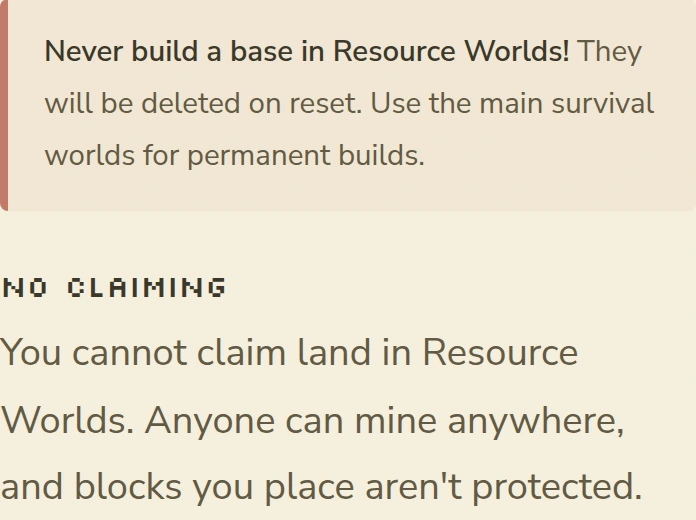
The important distinction is between the main survival world and the separate resource worlds. Use the main survival world for a long-term base. Oakheart says its resource worlds reset every Monday, do not allow land claims, and delete anything left behind when they reset.
Oakheart may suit you if you want a community survival server where you can protect a base and opt out of PvP. It is a less obvious fit if you want unrestricted PvP, a purely vanilla experience, or a server with no paid gameplay benefits. Oakheart documents paid ranks, claim chunks, crate keys, and perks including Keep Inventory.
This profile explains Oakheart’s official joining details and rules. It is based on the server’s current public documentation, not a hands-on gameplay test.
Joining Oakheart on Java or Bedrock
The official server address is msl.oakheart.net.
Java Edition
Use the Minecraft version currently listed on Oakheart’s official website. The published version guidance can change and is not a tested list of every accepted client version.
- Open Minecraft: Java Edition.
- Select Multiplayer, then Add Server.
- Enter a name such as Oakheart.
- Enter
msl.oakheart.netas the server address. - Save the entry, select it, and choose Join Server.
The intended destination is Oakheart’s village spawn. If Minecraft reports a version or connection error, stop and check Oakheart’s official website or support guidance instead of trying an undocumented address.
Bedrock Edition
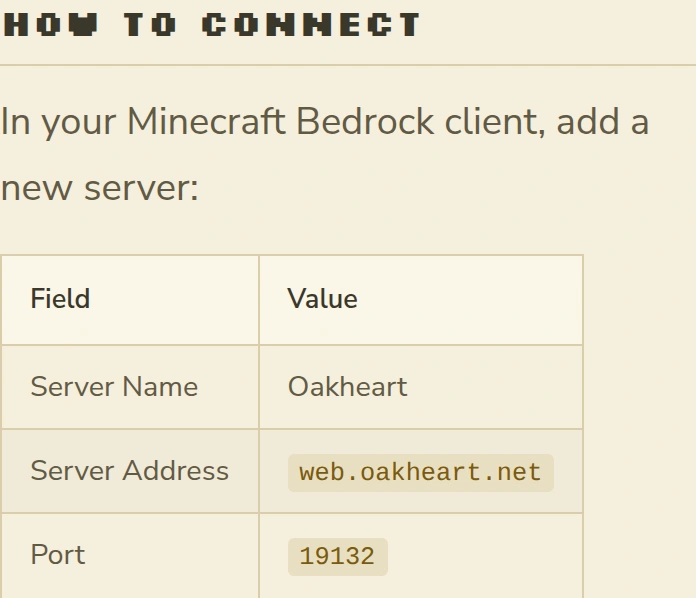
Oakheart documents a shared Java and Bedrock world through Geyser. On a Bedrock client that provides an Add Server option:
- Open the Servers screen and choose Add Server.
- Enter Oakheart as the server name.
- Use
msl.oakheart.netas the address. - Enter port
19132. - Save the entry and connect.
Allow the server’s documented resource pack to download when you join. Oakheart notes that some cosmetics, books, and chat interactions can behave differently on Bedrock, so shared access does not mean complete feature parity. The official guide does not provide a verified console connection route. If your device has no Add Server option, consult the current Bedrock instructions rather than installing an unverified workaround.
Claim your first base safely
New players arrive in the spawn village. Oakheart’s guide sends players to the main survival world with /wild. Before placing valuable blocks, choose a site that respects other claims and the full server rules.
A compact first-base sequence is:
- Run
/wildto reach the main survival world. - Choose a site away from other players’ builds and claims.
- Run
/lands create MyBaseto create a land named MyBase. - Stand in the chunk you want to protect, then run
/lands claimto claim that chunk. - Run
/lands viewand check that the intended boundary is shown. Keep your valuable build and storage inside that confirmed boundary. - Run
/sethome baseso you can return later with/home base.
Do not assume your build is protected merely because you entered a command. If a command fails or /lands view does not show the intended boundary, stop before storing valuables and use Oakheart’s land-claim guide or ask its staff for help.
Oakheart’s current full rules say new claims should be at least 64 blocks from existing claims unless you have permission. Distance alone is not permission to crowd another build, so check the surroundings and ask before settling close to someone else.
Where to build and where to gather
Oakheart separates permanent survival building from renewable gathering areas.
| World | Best documented use | Important limitation |
|---|---|---|
| Main survival world | Your claimed base and long-term builds | Follow claim spacing and conduct rules |
| Resource worlds | Gathering materials and exploring replaceable terrain | Reset every Monday, no land claims, and anything left there is deleted |
Use the main survival world for your base. Treat a trip to a resource world as temporary: gather what you need and bring your items back before the next reset. Oakheart does not publish an exact reset hour or timezone on the cited page, so do not plan around a guessed deadline. Read the current resource-world notice before a large gathering trip.
Oakheart’s documentation does not establish that the main survival world will never reset. The available guidance supports using it for permanent building, but that is not the same as a permanent no-reset guarantee.
Economy, PvP, and conduct rules
Emeralds are the basis of Oakheart’s documented economy. Players can use spawn shops and trade with one another. Shop limits apply, but the public pages do not give a sufficiently consistent reset time to rely on a precise clock. Check the current in-game or official guidance before planning repeated sales.
PvP is disabled by default and requires both players to opt in. The full rules also prohibit griefing, theft, cheating, and certain unattended or AFK activity. Claims that have been inactive for more than 90 days may be removed, so a claim should not be treated as permanent storage if you leave the server for a long period.
Read the full Oakheart rules before investing time in a base. They are the appropriate source for current conduct, claim, PvP, inactivity, and store restrictions.
What to know before committing to Oakheart
Oakheart’s documented setup is clearest for players who want protected survival building with optional PvP and access from Java or a Bedrock client that supports adding a server. The separate resource worlds provide renewable gathering space, but they require care because builds and stored items there are removed on the weekly reset.
Paid benefits exist. The server documents ranks, additional claim chunks, crate keys, and rank perks such as Keep Inventory. This article does not assess their balance or repeat a cosmetic-only claim, because the available official pages do not support that conclusion.
Several details remain undocumented or unsuitable for a firm promise: the exact range of accepted Java and Bedrock versions, a console joining method, the precise resource-world reset time, and a permanent main-world reset policy. If any of those points would determine your decision, confirm it through Oakheart’s current documentation or support before buying anything or starting a large build.
If Oakheart is not the right fit, browse the Minecraft server profiles on Minecraft.dk for alternatives with different rules and joining requirements.