
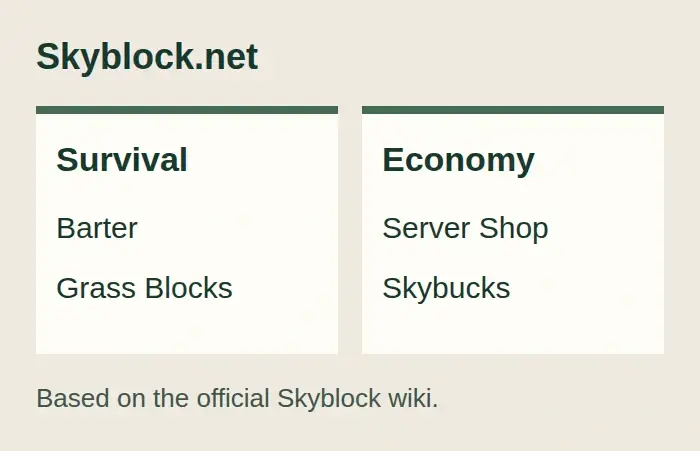
Skyblock.net gives players two main multiplayer choices: Survival and Economy. Survival uses a more traditional barter system in which Grass Blocks are commonly traded. Economy adds Skybucks, a Server Shop, and documented features such as shops, challenges, and quests.
There is also a separate Classic server for players who want the older Skyblock experience. Classic uses its own address and has narrower client-version guidance, so it should not be treated as just another branch of the current network.
Survival or Economy: which server should you choose?
Choose Survival if you prefer a more vanilla-oriented Skyblock experience built around player barter. The official wiki describes Grass Blocks as a commonly used trading item on this branch. That does not prove the server is plugin-free or identical to vanilla Minecraft, but it does explain the basis of its economy.
Choose Economy if you want an explicit server currency and shop system. The official documentation identifies Skybucks, a Server Shop, player shops, challenges, and quests. It does not establish how quickly players earn currency, the current prices, or whether paid ranks change progression, so this article does not rank Economy as easier or faster.
You can compare the documented details on the official Skyblock Survival and Skyblock Economy pages before choosing. Both are multiplayer branches of the same network, but their economies create meaningfully different starting experiences.
How to join Skyblock.net on Java Edition
The official joining guide documents skyblock.net as the Java server address. Its current page tells players to use the latest available Minecraft client, but this should be treated as current official guidance rather than a tested compatibility guarantee.
You can also view Skyblock.net on Minecraft Server List for a contextual directory listing. The official play page remains the source for the joining guidance in this article.
To join:
- Start a legitimately owned Java Edition client that follows the current guidance on the official play page.
- Open Multiplayer and select Add Server.
- Enter a descriptive server name and use
skyblock.netas the server address. - Save the entry and select Join Server.
- Once connected, open chat and run
/serverto view the branches currently reported by the network. - If Economy is shown and you want that branch, run
/server economy. If Survival is shown and you want that branch, run/server skyblock. - Run
/serveragain and check which branch the server reports as current.
The intended result is a connection to the chosen documented branch. These steps follow the official documentation; they are not a record of an independent connection or gameplay test.
If the branch is missing, the switch fails, or your client version is rejected, stop before creating or resetting an island. Recheck the current play page and the official /server command documentation, then use the network’s current support route. Do not guess another address or assume an inactive branch is available.
Classic uses a different address and version range
Classic is not reached through the current branch-selection instructions. The official Classic page directs players to classic.skyblock.net and recommends Minecraft versions from 1.8.9 through 1.20.1. It warns that newer clients may render the Classic experience incorrectly.
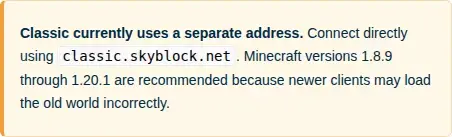
Use the dedicated address and review the current Skyblock Classic guidance before launching a client. Do not apply the main network’s latest-client advice to Classic automatically, and do not rely on /server classic as a joining method.
This separation matters when troubleshooting. A successful connection to skyblock.net does not confirm that your chosen client will display Classic correctly. The sources reviewed for this profile also do not establish a Bedrock route to Classic.
Bedrock support has an important documentation gap
The official Skyblock.net play page lists bedrock.skyblock.net for Bedrock multiplayer. The separate Bedrock page also distinguishes the free multiplayer connection from the paid Skyblock map sold through Minecraft Marketplace. Buying the map is not documented as a requirement for joining the multiplayer network.
However, the retrieved official instructions do not give a complete port and device-specific setup route. This article therefore does not invent a default port, console workaround, or menu sequence. Bedrock players should follow the current official play instructions and stop if their device requires details that the page does not provide.
Check the rules before trusting another player
The official server rules prohibit griefing, looting, and scamming. They also warn players to be careful when adding trusted or co-op members, and they do not promise that every lost item can be recovered.
Read the current Skyblock server rules before sharing access or moving valuable items. If another player asks for permissions you do not understand, stop and verify the effect through official help before accepting. A rule against scamming is not a guarantee that a trade or co-op arrangement is safe.
The public sources reviewed here do not establish the current reset schedule for Survival or Economy. They also do not provide a complete tested client matrix, rank-balance assessment, or live branch-status guarantee. Check official announcements before treating a long-term island plan as permanent.
Is Skyblock.net a good fit?
The network may suit you if you want a documented choice between barter-focused Survival and currency-based Economy, and you are comfortable checking the current branch with /server. Classic offers a separate route for the older experience, but requires attention to its dedicated address and recommended client range.
It is a weaker fit if you need a complete device-specific Bedrock walkthrough, a guaranteed reset policy, or verified compatibility across several client versions. Those points remain unresolved in the official material reviewed for this profile.
You can browse more Minecraft server profiles if you want a different multiplayer format.