![[Owner] Spacebug](https://minotar.net/avatar/SpaceBug/50)
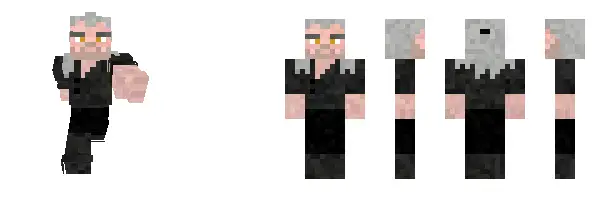
In the vast, block-filled world of Minecraft, players express their creativity not only through the structures they build but also through the unique characters they embody. These digital personas, represented by player skins, can be customized to match each player’s style. This article will guide you through the simple process of changing your Minecraft skin, allowing you to put your own personal touch on your Minecraft avatar when playing minecraft online.
Step 1: Choosing Your Skin
Before you can change your skin, you need a new skin to switch to. There are a few ways you can get a new Minecraft skin:
- Create your own skin: You can design your own skin using skin editors like ‘Skindex’ or ‘MinecraftSkins’. These editors provide a template which you can color in pixel by pixel.
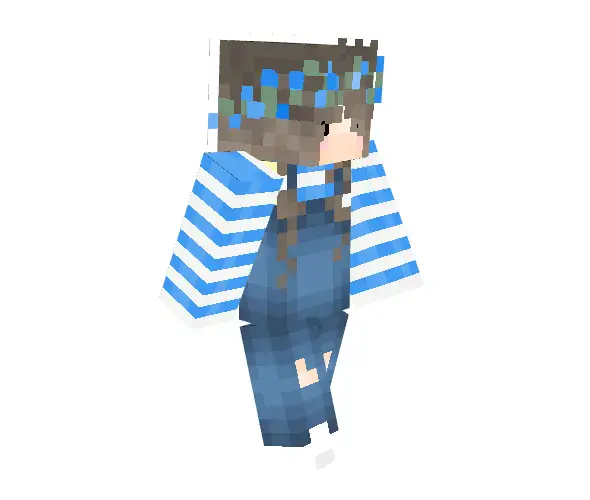
- Download a premade skin: There are thousands of user-created skins available on various websites. Some popular choices include MinecraftSkins, Minecraft Skins, and NameMC. Make sure to download the skin as a .png file.
Step 2: Uploading Your New Skin
Once you have a skin ready to go, it’s time to upload it to Minecraft. The process is straightforward:
- Go to the official Minecraft website and log in to your account.
- Click on your profile icon on the top-right and select ‘Profile‘.
- Click on the ‘Skin‘ tab on the left side of the screen.
- You’ll see an option to upload a new skin. Click ‘Select a file‘, and choose the .png file you downloaded earlier.
- Choose your model type. Minecraft has two model types – ‘Classic‘ and ‘Slim‘. The ‘Slim’ model has slightly smaller arms and is often used for female skins.
- Once you’ve selected your skin and model type, click on the ‘Upload‘ button. Your skin will now be updated!
Step 3: Checking Your New Skin in Game
To see your new skin in action:
- Launch Minecraft and enter a world.
- Press F5 twice to switch to a third-person view. You should be able to see your new skin!
Remember, Minecraft skins allow you to show off your personality and style, so choose or create a skin that truly represents you. Whether you want to appear as a knight, an alien, or even a creature of your own design, the possibilities are as limitless as your imagination. Enjoy customizing your character and making your Minecraft experience even more personal!