![[Owner] Spacebug](https://minotar.net/avatar/SpaceBug/50)
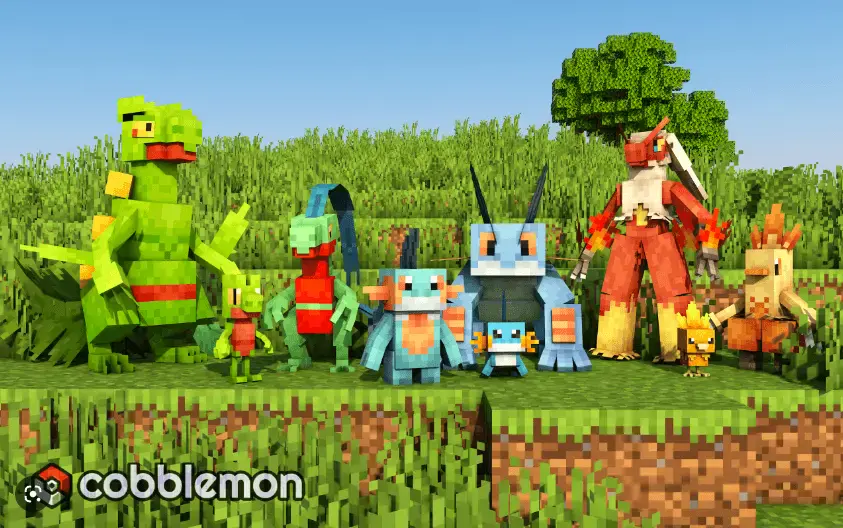
Minecraft is a game that has been around for over a decade and has maintained its popularity due to its limitless gameplay possibilities. One of the most engaging ways to spice up Minecraft is by using mods. Cobblemon is a mod that has been gaining popularity among players as it offers a unique and challenging gameplay experience by adding a Pokemon-like system to the game. In this article, we will provide a detailed guide on how to install and play the mod on your Minecraft client.
Installation Process
Before we dive into the installation process, make sure you have the latest version of Java installed on your Windows or Mac device. Once that’s done, follow these steps to install Cobblemon on your Minecraft client:
- Download the Cobblemon mod from a reliable source. (Official site here)
- Locate the Minecraft folder by entering %appdata% in the Windows search bar, or by opening Finder and selecting Go to Folder.
- Open the .minecraft folder and look for the mods folder. If it doesn’t exist, create a new folder named “mods.”
- Drag and drop the mod into the mods folder.
Playing the Cobblemon Mod
Now that you have installed the mod, it’s time to play the game. Here are the steps to follow:
- Open the Minecraft launcher and select the version that you installed the Cobblemon mod for.
- Launch the game and start a new world.
- You will now see various Pokemon-like monsters spawning in the game world. To capture a monster, simply use a Pokeball on it. You can then add it to your collection and train it for battles against other trainers.
- You can access your collection by pressing the “C” key, which will open the Cobblemon GUI. Here you can manage and organize your collection, as well as view the statistics of each monster.
Multiplayer Support
One of the most exciting aspects of Cobblemon is its multiplayer support. You can battle against other trainers with your own custom-built teams of monsters, making the game even more challenging and engaging. To play multiplayer, follow these steps:
- Make sure all players have the Cobblemon mod installed on their Minecraft client.
- Host a server or join an existing server with Cobblemon support.
- Invite players to join the server and start playing Cobblemon together.
Pixelmon vs Cobblemon
Pixelmon is another popular mod for Minecraft that adds a Pokemon-inspired system to the game. While both Pixelmon and Cobblemon share similarities, there are some key differences between the two mods. Pixelmon has been around for much longer than Cobblemon, and as a result, it has a larger player base and more polished gameplay mechanics. Pixelmon also offers a wider variety of monsters and a more extensive crafting system.
On the other hand, Cobblemon is newer and less polished, but it offers a more challenging gameplay experience with its unique mechanics and multiplayer support. Ultimately, both mods are excellent choices for Minecraft players looking to add a monster-catching system to the game, and the choice between the two depends on personal preference.
Cobblemon final words
Cobblemon is an excellent mod that adds a new layer of excitement and challenge to Minecraft gameplay. By adding a Pokemon-like system to the game, players can capture and train various monsters, and battle other trainers for supremacy.
The installation process is simple, and the multiplayer support makes the game even more engaging. So, if you’re looking to spice up your Minecraft experience, be sure to give it a try!